Summary:
What is lifecycle asset planning? IT lifecycle planning helps businesses replace, modernize, or retire technology before aging systems become security, reliability, or budget problems. A strong lifecycle plan tracks support dates, business criticality, security exposure, dependencies, replacement cost, and migration lead time across servers, infrastructure, endpoints, software, and network equipment.
The goal is simple: make technology replacement a planned business decision instead of an emergency.
What Is IT Lifecycle Planning?
IT lifecycle planning is the process of tracking technology from acquisition through deployment, maintenance, modernization, and eventual retirement.
That sounds straightforward.
In practice, many organizations don't seriously evaluate an asset until something breaks, a vendor announces end of support, a security requirement changes, or a critical application can no longer run on the existing environment.
By then, the technology isn't driving the timeline anymore.
The problem is.
Good lifecycle planning reverses that relationship.
Instead of asking,“How long can we keep this running?”, leadership can ask:
“When does replacing this make the most business sense?”
Why End-of-Life Technology Creates Business Risk
Technology doesn't suddenly become useless because a support date passes.
That's partly why aging infrastructure is so easy to ignore.
The server still boots. The application still opens. The switch still moves traffic.
But what's happening behind the scenes can change significantly.
Unsupported or aging technology can introduce:
- Security vulnerabilities that no longer receive normal patches
- Compatibility problems with newer applications and platforms
- Increased downtime and hardware failure risk
- Higher maintenance costs
- Difficulty obtaining parts or vendor support
- Compliance and cyber-insurance complications
- Performance constraints
- Migration projects that become increasingly complex the longer they're delayed
The real cost of aging technology is often accumulated risk, not the purchase price of its replacement.
Microsoft Server 2012 Is a Perfect Example
Microsoft ended extended support for Windows Server 2012 and Windows Server 2012 R2 in 2023. Microsoft then offered eligible Extended Security Updates for up to three additional years, through October 2026. [learn.microsoft.com], [learn.microsoft.com]
That gave organizations years of notice.
Yet businesses inevitably reached the deadline still running Server 2012 environments.
That's the lifecycle-planning lesson.
End-of-support dates shouldn't trigger your planning. They should already exist inside your plan.
And the next deadline is never very far away.
For example, Windows Server 2016 reaches the end of extended support on January 12, 2027. [rafftechnologies.com]
An organization that starts thinking about that environment in January 2027 is already late.

What Should Be in an IT Lifecycle Plan?
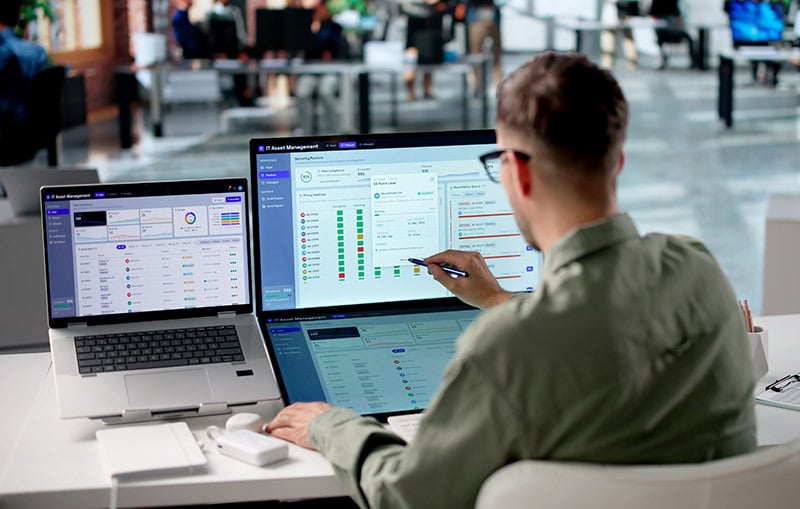
1. Asset Inventory
Start with visibility.
Know what technology exists across the organization, including:
- Servers
- Workstations and laptops
- Network switches
- Firewalls
- Wireless infrastructure
- Storage
- Operating systems
- Business applications
- Cloud workloads
- Backup infrastructure
- Physical security systems
- Structured cabling and ICT infrastructure
If you don't know what you own, you can't know what's approaching risk.
2. Vendor Support Dates
Track vendor milestones such as:
Mainstream support end
Extended support end
End of sale
End of security updates
End of hardware support
These dates should be visible well before they become emergencies.
3. Business Criticality
Not every aging asset deserves the same priority.
Ask:
- What business process depends on this?
- What happens if it fails?
- How many employees are affected?
- Does it process sensitive or regulated information?
- Is there redundancy?
- How quickly could it be replaced?
A seven-year-old device supporting a secondary function is very different from a seven-year-old server running a mission-critical application.
4. Dependencies
This is where refresh projects often become more complicated than expected.
Replacing a server may affect:
- Applications
- Databases
- Authentication
- Storage
- Backups
- Network architecture
- Security controls
- Integrations
- Licensing
- Cloud connectivity
- User workflows
The asset you're replacing may be only one component of a much larger system.
5. Budget and Replacement Window
Lifecycle planning should turn replacement into part of the normal budgeting process.
If leadership knows a major server environment needs modernization in 18 months, the organization can evaluate options, set budget, test compatibility, and schedule migration intentionally.
If leadership learns about it three weeks before support ends, every option becomes more expensive.
Should You Replace, Upgrade, or Move to the Cloud?
Not every lifecycle decision should result in buying another version of the same thing.
A refresh point creates an opportunity to ask whether the underlying architecture still makes sense.
The right answer might be:
- Upgrade to a newer supported platform
- Replace aging hardware
- Consolidate systems
- Move workloads to Microsoft Azure
- Adopt a hybrid-cloud architecture
- Replace a legacy application
- Retire an unnecessary system
- Redesign the environment entirely
Lifecycle planning isn't asset replacement. It's technology strategy.
A Simple Lifecycle Conversation Leadership Can Have
Start with five questions:
What technology is approaching end of support in the next 12–36 months?
Which aging systems create the greatest security or operational risk?
Which systems would materially disrupt the business if they failed tomorrow?
What replacements or migrations require long lead times?
Which upcoming refreshes are opportunities to modernize instead of simply replace?
If those answers aren't readily available, the organization doesn't have a lifecycle plan yet.
Bridgehead IT: Plan Before the Deadline Becomes the Project
Bridgehead IT helps organizations assess existing environments, identify aging and unsupported technology, prioritize risk, evaluate modernization options, and build technology roadmaps aligned with business goals and budgets.
That expertise spans managed IT services, cloud, cybersecurity, infrastructure, networking, ICT, and strategic technology planning.
The objective isn't to sell the newest technology because it's new.
It's to understand what your business actually needs, when it needs it, and what the rest of the environment must support.
Because the best time to replace critical technology is before it becomes critical that you replace it.
Guaranteed outcomes that bring peace of mind and improve your bottom line.